Lid Effects for a physical gesture. Dynamic Wallpapers for a living desktop. Creative Scenes for worlds that respond to your Mac.
Lid Effects
A curtain call. Every time you close.
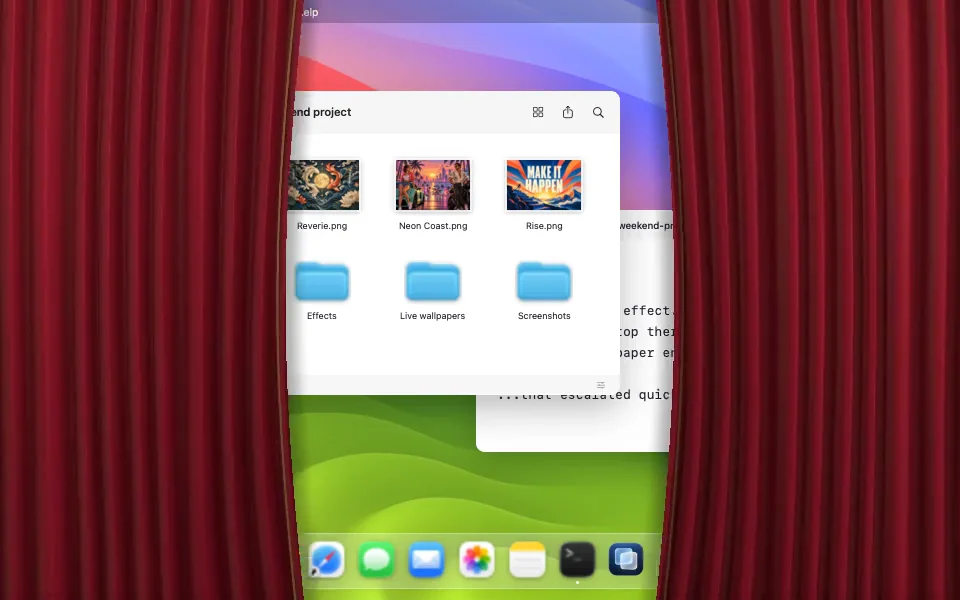
Close your MacBook and the curtains meet across the desktop. Open it and they pull apart. Or pick blur, glowing ribbons, blinking characters, and artwork that moves with the lid.
Frost began as an attempt to bring the iPhone Duo blur to a MacBook. The gesture is different — a lid angle rather than a fold — so the blur follows how far you have actually closed it, at whatever speed you close it.
Effects follow the built-in display. Lid control needs a readable angle sensor; support varies by MacBook model.
Browse Glass & Light, Motion & 3D, or Image Art. Use Adjust for grouped appearance controls and creator details. Set the lid angle where the effect begins and how far into closing it finishes. Preview, pause, and scrub before turning it on.
Your artwork
Import an image, then choose Sculpted, Diagonal, Slide, or Burst. Adjust depth and edge light. The app keeps a local copy.
Your desktop still works
Overlays let clicks through. Effects start disabled, and the Dock and menu-bar controls stay available.
Your preferences
System, light, and dark appearance. Reduce Motion stills continuous animation; Reduce Transparency uses dimming without capture.
Dynamic Wallpapers
A desktop with something to do.
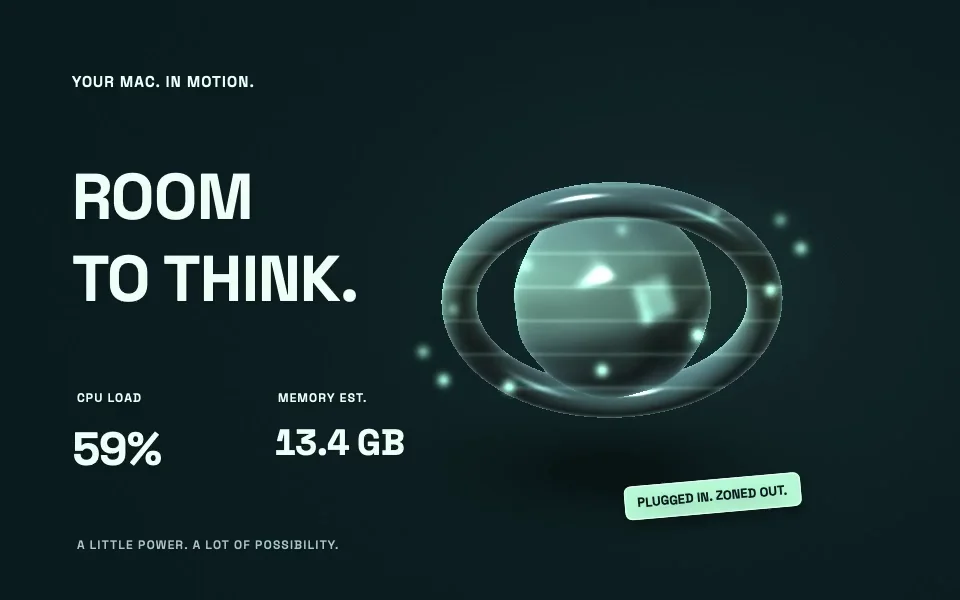
Browse twenty wallpapers in a grid or list, with category tabs and tag filters. Open a design to see its description, creator credits, and connection badges. Preview the actual design, then select Use wallpaper below it. Wallpapers run on your primary display at 30 or 60 fps, with playback adapting to sleep, low power, and Reduce Motion. On macOS 26, System Settings › Wallpaper can assign a scene to each display.
Connect Mac metrics, local Claude or Codex activity, a public GitHub profile, or your own JSON data. Ten game worlds add battery recovery, network traffic, focus and break timers, thermal pressure, storage, city weather, and public Steam updates. Choose Customize on the design page for its data connections and appearance. The app asks for any required setup before applying a design.
GTA VI — Vice City Countdown pairs Rockstar Games promotional artwork with a calendar-day countdown, as a tribute rather than an official tie-in. Aurora Observatory wraps a 3D Earth in auroras driven by public NOAA forecasts, with imagery from NASA Earth Observatory.
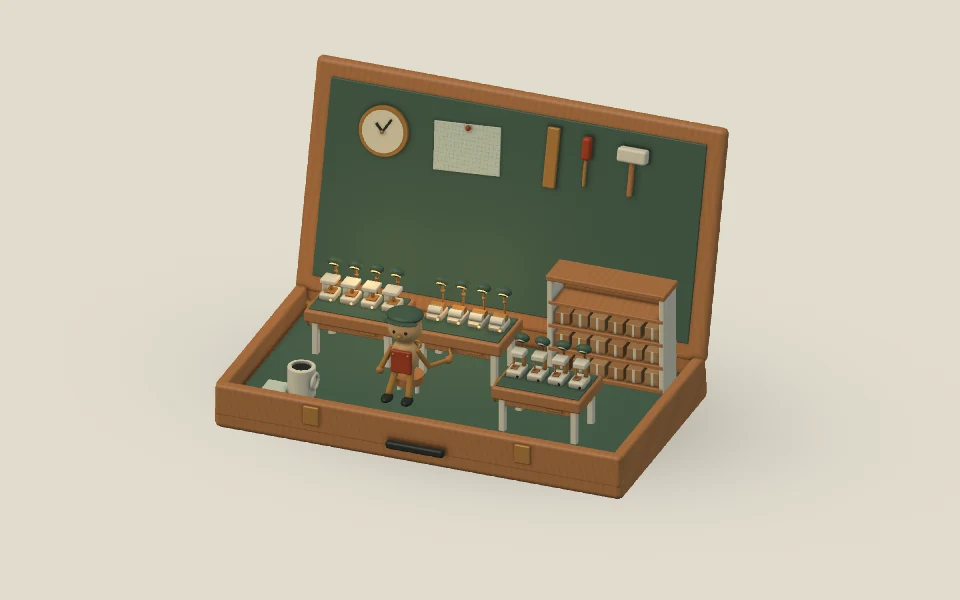
A tiny maker’s studio opens with your Mac. Open apps light the benches; items in a folder you choose become parcels. Gentle motion and rotating lines keep you company.
The Workshop turns your everyday Mac into a tiny maker’s studio. Open the lid and a wooden case unfolds, task lamps rise, and a little wind-up maker gets to work.
Your open apps light the benches. Connect your Desktop, or another folder you choose, and its items become parcels on the shelves. Up to twelve stations and twenty-four parcels appear; the optional caption keeps the full counts.
Small tools move gently, daylight warms the room, and connecting your charger sends a glow around the brass rail. Eight motivating lines fade into one another every forty-five seconds.
Customize the lines, counts, pointer parallax, and mirrored view. Folder access is optional, and files are counted without opening their contents. Reduce Motion holds a complete, still workshop.
Created by Matterward Labs. Native app render with sample counts and optional text hidden.
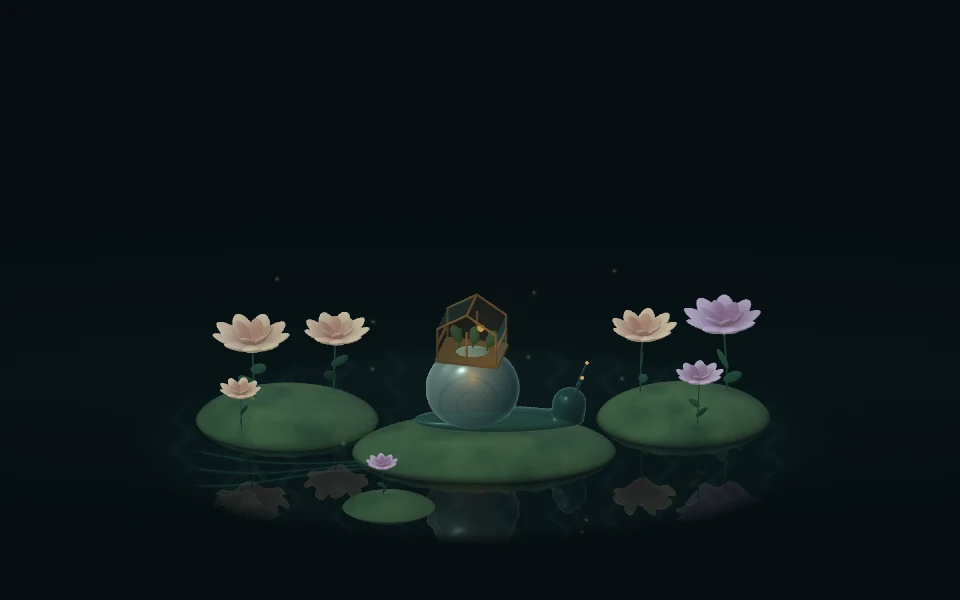
Meet Hinge Garden, a glass snail tending a miniature greenhouse. Another little world in Creative Scenes, shaped by your Mac.
Open the lid and the garden wakes. Close it and the snail retreats. Connect your charger and a pulse travels through the water and roots, up the shell, and into the greenhouse lantern; a gentle glow remains while power is connected.
Battery, daylight, and system activity shape the atmosphere. Enable pointer response, supported motion sensors, or microphone input in Customize. A breath can stir petals and pollen. Sound and motion sensing are optional; microphone processing stays on your Mac.
Optional one-liners add a quiet thought to the scene. Reduce Motion keeps the garden still.
Created by Matterward Labs. App render with representative inputs.
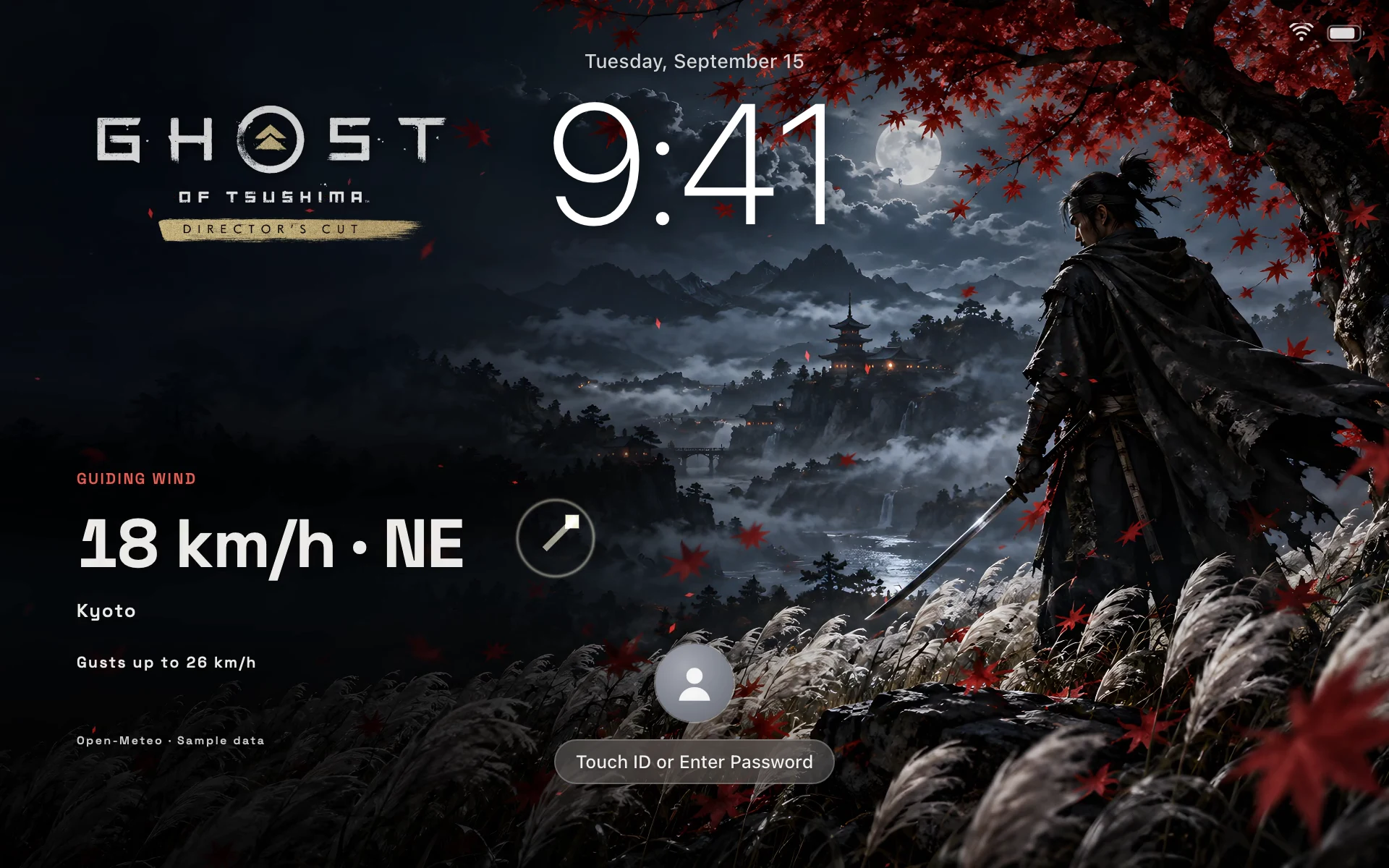
On macOS 26, UnfoldMyMac installs a wallpaper provider extension. Every bundled Dynamic Wallpaper and Creative Scene, Hinge Garden and The Workshop included, appears in System Settings under UnfoldMyMac — Dynamic Wallpapers. It shows in both the Wallpaper and Screen Saver panes, with a rendered thumbnail.
The lock screen and the screen saver share one selection in macOS. Choose a scene under Screen Saver and it plays on your lock screen: the same Metal scene, the same live readouts while the app is running, at up to 60 fps. macOS composites it, so it keeps going with the app closed and comes back at login. Lid, sound, and pointer reactions stay with the app’s own desktop window.
The app shows where a scene is showing, desktop only or desktop and lock screen, and Add to Lock Screen… in the menu bar opens the Screen Saver pane. It never picks the provider for you; you choose.
Lid effects stay on your MacBook’s built-in display and pause when it is closed, asleep, unavailable, or mirrored. Choosing Use wallpaper draws a scene on your primary display; other displays keep the wallpaper you chose for them. On macOS 26, System Settings › Wallpaper assigns a scene per display, and Screen Saver puts one on the lock screen.
Native from the first frame
Built with SwiftUI, AppKit, and Metal. Frost uses ScreenCaptureKit for in-memory desktop frames. Other lid effects do not need Screen Recording. The wallpaper extension runs in the App Sandbox with no network, microphone, or file-access entitlements.
Open source, Apache 2.0
The Swift app, its Metal shaders, and this website are public on GitHub. Read the code, report a bug, or build your own template with the extension guide. Free, and not monetized.
 UnfoldMyMac