 UnfoldMyMac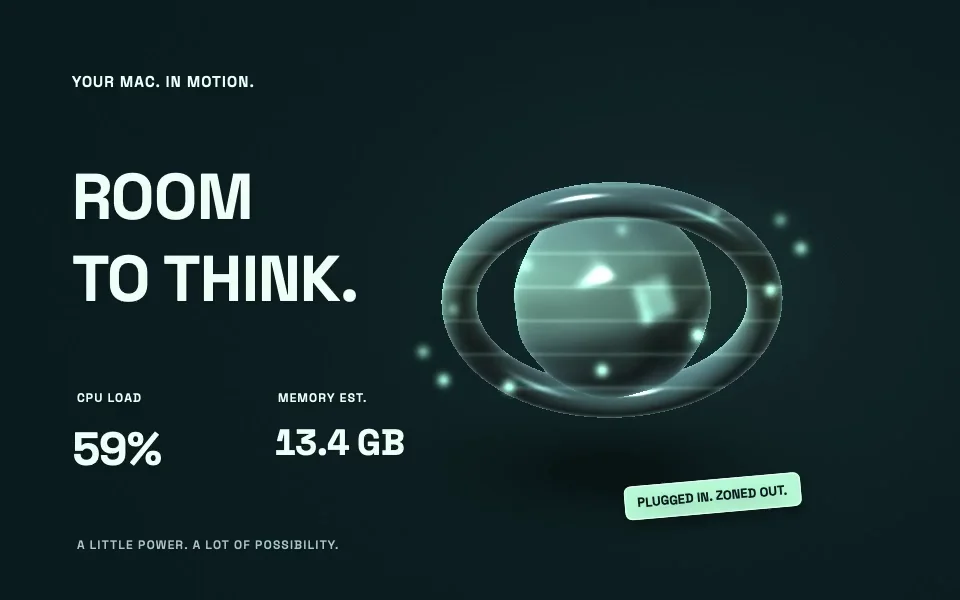
Pulse turns system load into a moving chrome sculpture. Codex Mission Control gives coding activity a small robot. GitHub After Hours turns a public profile into a floating city. Each is a scene in UnfoldMyMac’s wallpaper library, with a visual template and optional data behind it.
Open Dynamic Wallpapers for twenty designs, or Creative Scenes for Hinge Garden and The Workshop. You can try a preview before choosing Use wallpaper, and you can leave the personal data connections alone until you want them. The project overview describes the collection.
Find your design in the new library
Switch between grid and list, explore category tabs, and narrow the results with tag filters. Cards show the related brands and features a design uses. Open a card for the full description, author links, and an actual design preview. The name and usage badges sit above the preview; Preview, Use wallpaper or Use scene, Customize, and Show Desktop follow below. Show Desktop hides other apps and minimizes UnfoldMyMac so you can see the active desktop. Bring apps back from the Dock. The title stays in the toolbar as you scroll.
Start with the scene
Choose a wallpaper for what you want to look at. Daydream brings in an image and floating glass. Lights Out has an open-wheel car, a flowing circuit, and a five-light countdown. Grok Event Horizon puts a black hole on your desktop.
GTA VI — Vice City Countdown puts official Rockstar artwork behind the wait. It counts calendar days in your time zone toward the console release date stored in the template. Rockstar currently lists November 19, 2026, checked September 12, 2026. The artwork is © Rockstar Games.
Aurora Observatory takes the view into orbit. Public NOAA OVATION forecasts shape the auroral curtains, while planetary Kp readings give the scene its activity level. The globe uses NASA Earth Observatory imagery. It is an artistic interpretation of space weather, with no account setup required.
The Grok and racing counters are wallpaper-session counters. They do not report Grok service usage or live race telemetry. The website’s wallpaper recordings also use sample data, so their numbers are demonstrations, not measurements of your machine.
Creative Scenes: Hinge Garden
Hinge Garden has its own home in Creative Scenes. A glass snail emerges as the lid opens and retreats as it closes. Connect a charger while the scene is running and a nine-second pulse crosses the pool, follows the roots, climbs the shell, and lights the greenhouse. A softer glow remains while external power is connected, even at full battery.
Battery level, local time, and CPU activity shape the atmosphere. Customize has separate Motion, Sound, and One-liners controls. Pointer parallax, supported tilt and gyroscope input, and microphone reactions are optional. Audio is measured locally, never recorded or transcribed. Reduce Motion holds the garden still and pauses sound reactions.
Creative Scenes: The Workshop
The Workshop is a warm maker’s studio inside a folding wooden case. Open your Mac and the workbenches rise, lamps unfold, and a little wind-up maker starts turning a crank. Gentle foreground movement, pointer parallax, and daylight keep the room alive. Connecting your charger sends a warm current around its brass rail.
Each ordinary open app lights a tool station, up to twelve. Finder, UnfoldMyMac, and background helpers are excluded; hidden and minimized apps still count. In Customize, choose Use Desktop items… to fill the shelves from your Desktop or another folder. Immediate files, folders, packages, and shortcuts each count once. Hidden items are excluded, and file contents are never opened. Up to twenty-four parcels are drawn, while the optional caption shows the full count.
Eight original motivating lines rotate with a soft fade every forty-five seconds. Switch the lines and counts independently, turn pointer parallax on or off, or mirror the workshop. Folder access is optional. Reduce Motion holds a complete open pose, keeps counts current, and holds the current line.
See The Workshop’s native preview. The website recording uses sample app and parcel counts, with optional text hidden. The scene’s source and metadata describe its behavior.
Add data when it serves the scene
Some scenes can react to Mac metrics, such as CPU load, memory estimates, and battery information. Others can use local Claude or Codex metadata or a public GitHub profile.
The visual template and data provider are separate pieces. That lets the renderer use a snapshot without needing to know how the data was collected. It also gives contributors a way to add a provider or a scene without replacing the wallpaper engine. The extension guide explains the native architecture.
Set playback for your Mac
Wallpapers support 30 or 60 fps playback on your primary display. The playback policy lowers the maximum to 30 fps under low-power or thermal limits. Sleep stops playback. Reduce Motion disables continuous animation and limits updates.
These are the app’s playback rules, not a promise that every GPU and display combination will sustain the same frame rate. The policy is visible in WallpaperPlayback.swift.
Put it on the lock screen
On macOS 26, UnfoldMyMac installs a wallpaper provider extension. Every bundled Dynamic Wallpaper and Creative Scene then appears in System Settings under UnfoldMyMac — Dynamic Wallpapers, in both the Wallpaper and Screen Saver panes, each with a rendered thumbnail. macOS keeps two selections per display: the desktop wallpaper, chosen under Wallpaper, and one shared by the lock screen and the screen saver, chosen under Screen Saver. Pick a scene there and it plays on your lock screen at up to 60 fps. Reduce Motion stills it to a slow update rate, Low Power Mode and thermal pressure cap it at 30 fps, and rendering pauses when the display sleeps.
The app tells you where a scene is showing, desktop only or desktop and lock screen, and opens the exact System Settings pane that changes it. Add to Lock Screen… in the menu bar opens the Screen Saver pane. The app never selects a provider for you or writes macOS’s wallpaper store; it opens the pane and you choose. Its own Use wallpaper button sets a still of the scene as your desktop picture and restores your previous one when you stop.
You do not need the app running. macOS composites the scene itself, so it keeps moving with the app closed and comes back at login. Without the app, the scene plays its idle pose without live data. While the app runs, it keeps the readouts fed on the desktop and the lock screen: Mac metrics, Claude, Codex, GitHub, and the other data connections you enabled. Lid, sound, and pointer reactions belong to the app’s own desktop window, not to the scene macOS hosts. That window draws on your primary display only; through System Settings, macOS lets you assign a scene to each display.
Bring your own picture or snapshot
Scenes that support custom backgrounds let you import an image; GTA VI and Aurora Observatory keep their bundled artwork. You can also connect local JSON/JSONL data. Start with the built-in scenes to learn what the library already supports, then change the input that matters to you.
The app stores its own copy of imported artwork, so moving the original does not break the design. Optional connections live in Customize on each design page. The data connection guide covers what each source reads and which ones use the network.